
Welcome to Apigene Copilot
Apigene Copilot is an AI-powered platform that enables you to interact with APIs and services using natural language. This guide will help you get started and make the most of all features.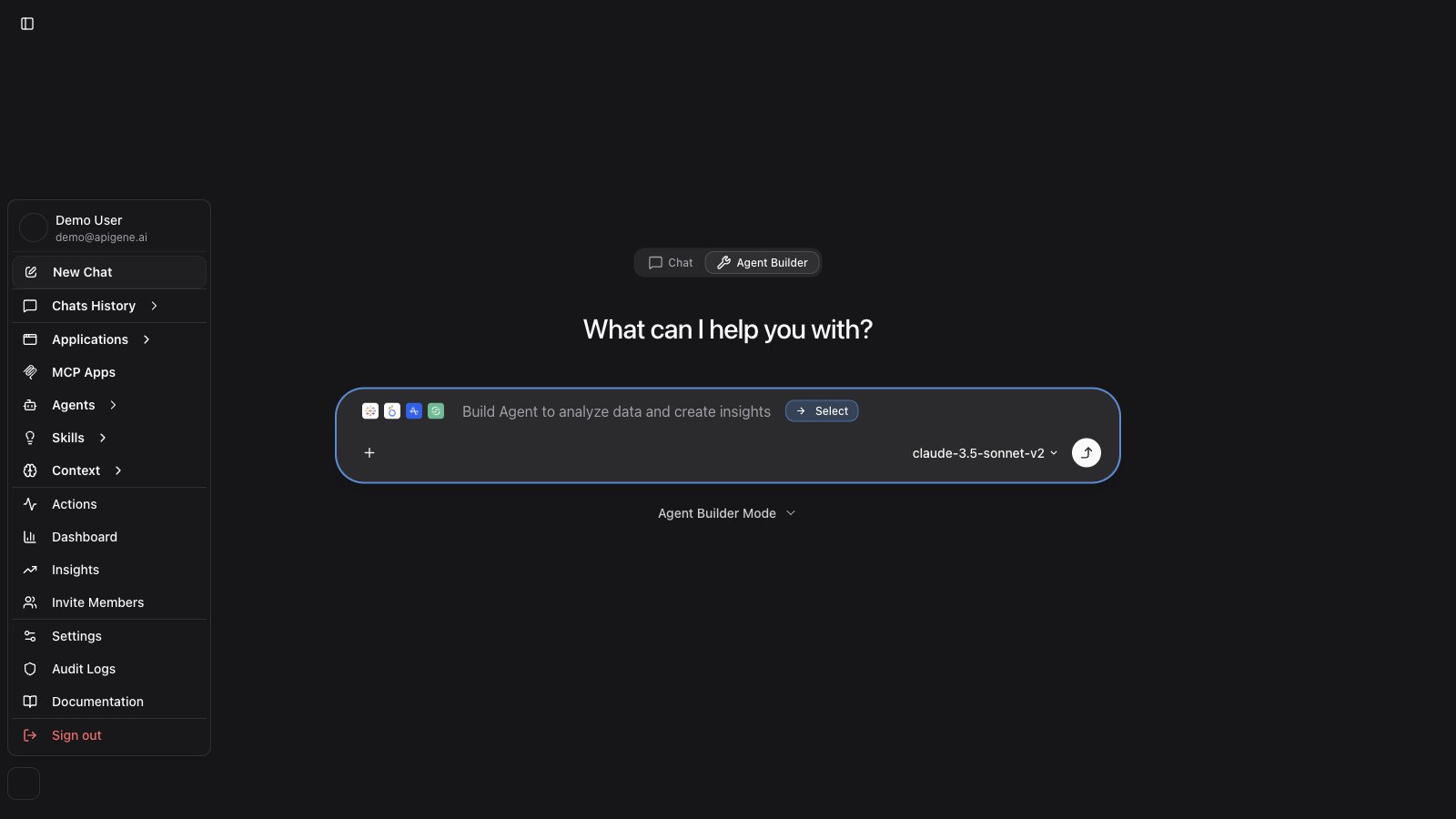
- Live — New Chat, chat history, and Tasks. Use this to talk to apps and agents.
- Design — Design Agent, then Build (Agents, Applications, Skills, Context), Monitor (Actions, Workflows, Insights), and Admin. Use this to create and configure agents.
What You’ll Learn
This user guide covers everything you need to know to effectively use Apigene Copilot:Getting Started
Learn the fundamentals to start using Apigene:Copilot
Start having AI-powered conversations with your applications
Agent Builder
Create and configure agents through a guided conversational workflow
Applications
Install and configure your first API integration
Core Features
Master the key features that make Apigene powerful:Agents
Create specialized AI assistants for your workflows
Skills
Reusable instruction libraries for consistent agent behavior
Context
Manage reusable information for consistent results
Chat History
Organize and share your conversations
Integrations
Connect external tools and AI assistants:Native MCP Servers
Install official, registry, or custom MCP servers and attach them to agents
OpenLegacy Hub
Connect Hub, install project OpenAPI as applications, and build Hub-ready agents
MCP Gateway
Connect AI assistants like Claude Desktop and Cline to Apigene using the Model Context Protocol
MCP Apps
Build UI templates for rich MCP App and generative results
Monitoring & Management
Track usage and manage your workspace:Actions
Monitor all API calls and troubleshoot issues
Workflow History
Inspect and replay past agent workflow runs
Insights
Conversations, agents, workflows, and action analytics
Audit Logs
Track system changes and security events
Settings
Configure your workspace preferences
Quick Navigation
New to Apigene?
If you’re just getting started:- Install Applications - Add your first API integration
- Configure Security - Set up authentication
- Try Copilot - Start your first conversation
- Create an Agent - Build your first specialized assistant
Common Tasks
Jump to frequently accessed guides:- How to use Copilot - AI conversations with applications
- Installing new applications - Add integrations
- Creating agents - Build custom assistants
- Adding context - Manage reusable data
- Sharing conversations - Collaborate with team
- Debugging actions - Fix API call issues
- Viewing analytics - Monitor usage patterns
- Connecting MCP clients - Integrate AI assistants
How to Use This Guide
Each section of this guide is designed to be: Comprehensive- Complete coverage of each feature
- Step-by-step instructions
- Real-world examples
- Use cases and scenarios
- Best practices
- Troubleshooting tips
- Searchable content
- Cross-referenced topics
- Clear section headings
Getting Help
Search the Docs
Use the search bar (⌘K) to quickly find what you need.In-Product Help
Look for help icons and tooltips throughout the Apigene interface.Contact Support
Reach out to our team at support@apigene.ai for assistance.API Documentation
For programmatic integration, see our API Reference.What’s Next?
Start with Copilot
Learn how to interact with applications using AI
Install Applications
Add your first API integration
View Examples
See example queries and use cases
Best Practices
Learn tips for effective usage
MCP Gateway
Connect external AI assistants to Apigene